Translate this page:

Campus Home

Campus Home
River Oaks Elementary School
Follow Me on Pinterest
free counters

VoiceThread Projects

Thursday, May 3, 2012

Posted below are a few recent projects by 5th grade students using VoiceThread.

VoiceThread allows the creation and sharing of interactive multimedia albums or slideshows. By uploading images, documents, or videos, creators or viewers can comment on any slide by typing, recording an audio or video comment, or drawing on the image itself. 

Students have recorded presentation narration and reflective comments about their work. They give and receive voice and text feedback from not only their peers, but also the wider ROE school community. This helps to develop greater awareness of audience for their learning products as it expands into engaging online discussion and extends outside classroom walls.

More Classroom Possibilities from 
VoiceThread Digital Library EDU

VoiceThread: Overpopulation of Animals

Overpopulation of Animals by Maysen & Atiana

VoiceThread: Inquiry Projects on United States Symbols


Inquiry Projects on United States Symbols 
[Reflections & VoiceThread Discussion by Mrs.Goodman's 5th Graders]

VoiceThread: A Day in the Life of a Brain Cancer Patient

A Day in the Life of a Brain Cancer Patient
 by Audi, Haley, & Audi
 

Practice Sites for Mouse, Touchpad & Keyboarding

Sunday, April 29, 2012

Consistent practice of keyboarding skills leads to greater speed, accuracy, and general productivity when using technology tools for learning, communication, and collaboration. Kids can continue to develop 'home row' proficiency through a range of online lesson sequences and interactive games. See many keyboarding practice options on ICT @ROE site. One example is 'SpiderTyper.' Type (letters at the easy level and words at more advanced levels) on chameleons as they crawl across the tree branches. Can you type quickly and accurately enough so the spider climbing up on the other side escapes the slurping chameleons?

At bottom of Keyboarding page, find also a list of links for online Paint sites, such as Canvastic and Artpad Digital Canvas (see a replay of your painting process).These are great not only for creative expression but for development of mouse and touchpad skills too. 

How well do you know your keyboard shortcuts? These are a great way to speed up your work! Check out our hallway display and enter the quiz challenge created by Mrs. Richardson in the ROE Library!

2nd Grade Resources: Where We Are in Place & Time

Sunday, April 22, 2012

2nd Grade UOI Resources: Where We Are in Place & Time

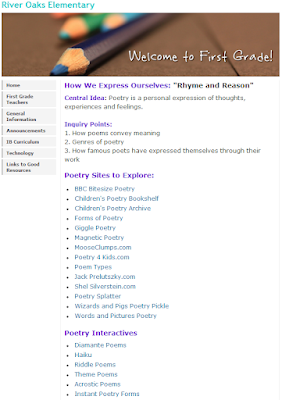
1st Grade Poetry Resources: How We Express Ourselves

Saturday, April 21, 2012